
Introduction
Users today have taken a liking to, or rather expect, a website to respond instantaneously. Subsequently, user experience (UX) scores mostly end up being linked to performance metrics that deal with interactivity and responsiveness. One of the most important performance metrics in this regard is First Input Delay. This web vital has been defined by Google under its Core Web Vitals. It essentially measures how long it takes for a web page to respond to a first interaction – be it a click, a tap or a keypress – from the user. Poor FID means the user perceives a website as laggy or unresponsive, which can have great consequences on engagement, conversion, and SEO ranking.
First Input Delay indicates how soon a webpage will be interactive once it loads. Even after visually presenting that the page is completely loaded, it might not respond to user actions, and instead, background work or JavaScript execution takes place. For example, if the user wants to click on something and the feedback takes more time, he will get frustrated, which directly affects the reliability of the site. A main thread is blocked with heavy scripts, inefficient event listeners, or long tasks, causing it to respond late. It is not just about optimizing FID; rather, improving smoothness and seamless experience retention for business objectives. This article goes a long way into what FID does for web UX and how it can be enhanced.
Understanding First Input Delay (FID)
What Is First Input Delay and How Is It Measured?
First Input Delay (FID) is a web performance metric that measures the time taken from the moment a user first interacts with a web page to the time when the browser can start processing that interaction. It deals with real-world interactivity specifically and is one of three Core Web Vitals established by Google. The other two are Largest Contentful Paint (LCP) and Cumulative Layout Shift (CLS). FID is measured in milliseconds, and a good FID score is 100 ms or less. 100-300 ms needs improvement, whereas more than 300 ms is considered poor. Unlike other metrics with synthesized behavior, FID refers to actual interactions performed by users.
FID is really about the validity of a user experience, not some theoretical quick measure. It measures that holy grail of measurement: the actual instant a user tries to do something with an application or website that responds in real time or goes out of touch for a bit due to a processing bottleneck. FID can be measured using tools like PageSpeed Insights, Chrome User Experience Report (CrUX), and Lighthouse; however, lab conditions commonly use a proxy called Total Blocking Time (TBT) since FID basically requires real user input. Knowing how this delay happens will help identify where such bottlenecks are at and to recognize lengthy tasks or scripts blocking the main thread from being able to receive user input.
Why FID Matters for User Experience
Any delay in response after the user has clicked a button or tapped a menu will usually lead to a negative perception of your website. Such a negative first impression may compel users to abandon the page altogether. FID is directly proportional to the degree to which a site feels intuitive and seamless. Any delay that is equal to or greater than 100 milliseconds may be noticeable and interrupts the interaction flow, causing frustration, while a low FID score indicates a fast, responsive site that has been well-optimized and feels engaging. Improving FID means creating a better user experience, which in turn means higher retention and conversion.
It also wallops the flying of your websites in search engines. Since Google ranks on Core Web Vitals, optimizing for FID hence helps searching the visibility of pages. More importantly, users who experience smooth, responsive sites are much more likely to go beyond the home page and interact with content before completing a desired action such as making a purchase or form submission. In fast-paced, digitally driven industries such as e-commerce and financial services, this means that reducing FID is the set point for ensuring continued competitive advantage. Hence performance optimization converges here with business outcomes.
Key Causes of Poor First Input Delay
Heavy JavaScript Execution and Long Tasks
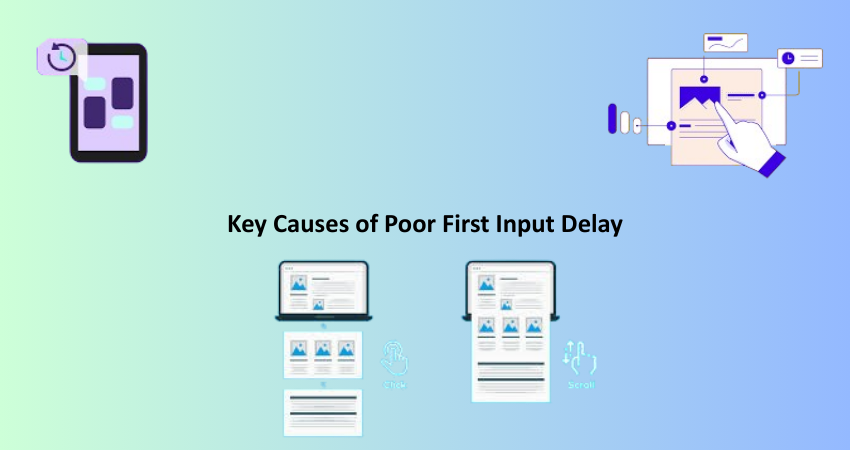
One of the causes of excessive First Input Delay is high execution of JavaScript. Interaction is a blocking event. That’s because before the browser can handle the new event, it has to finish with whatever action it’s doing. If that action has to do with dealing with a large JavaScript file or a long-running function, it’ll make the browser temporarily unresponsive. All of these scripts block the browser due to the poorly optimized libraries, redundantly made code, or larger frameworks running synchronously lazy on page load. As the time to execute these scripts increases, so does the delay to be interactive on the site.
Long tasks are considered any JavaScript that takes longer than 50 milliseconds to complete. If long tasks clog up the main thread of the browser, the browser cannot respond to new inputs from the user. One of the tools that can be utilized in detecting long tasks is Chrome’s DevTools or Lighthouse. This will help developers isolate the causing script. Splitting big files, lazy-load those non-essential JavaScript, and clean out unnecessary dependencies will cut on the amount of blocking time. Some other approaches include script deferment, async/await pattern, or other techniques of significantly controlling their execution to reduce overall delay.
Inefficient Event Handling and Third-Party Scripts
Another factor that contributes towards a better FID would be ineffective event handling. This means that either the event listener is poorly written or too many listeners are bound to elements, hence slowing down interaction. This might involve attaching multiple listeners to scrolling, resizing, or touch events, putting an enormous load on the processing power of the browser. Similarly, non-passive event listeners block the browser from optimizing scroll performance, making it janky for the user. These multiple inefficiencies serve to further delay the overall responsiveness to the very first input.
Third-party scripts include analytics tools, social sharing buttons, or advertisements that play a significant role in degrading FID. The thing with these scripts is that they usually load synchronously or introduce an element of unpredictability in the performance lifecycle. If a third-party script gobbles resources or blocks the main thread, it’ll eventually delay every other user interaction. To minimize the above scenarios, developers should audit preferred third-party tools and load them asynchronously whenever possible. Using a performance budget and resource priorities will ensure that non-essential scripts do not affect the timing of critical interactivity.
Improving First Input Delay for Better UX
Optimizing JavaScript and Minimizing Main Thread Work
The first goal for improving FID is to decrease the amount of work the browser has to do before replying to the user. There was a lot of work for the browser to accomplish by running the JavaScript code. Thus, scripts should be less intense and simplified through elimination of any unused code, minifying files, and splitting large bundles into smaller-sized ones through code-splitting. A library such as Webpack or Rollup would probably have a more efficient way to bundle this code so that it gets loaded only when necessary in each page. Lazy loading of all the noncritical components would be another case for postponing unnecessary execution until after the page workable load.
It’s important to load scripts asynchronously (not blocking the main thread). When external scripts get downloaded, they should not block rendering, so either async or defer should be used, and rendering can be unimpeded by this. If a lightweight solution satisfies the requirements, larger frameworks should be avoided. Refactoring code so that it has no blocking operation will include idle callbacks and Web Worker in a pure modern JavaScript style. Such changes mean that heavy processing can be done WAAAY out of the path of the main thread,” thus freeing the main thread and rendering path for user interactions. They visibly improve responsiveness and enhancement of the user experience.
Prioritizing Critical Resources and Lazy Loading
It is necessary to improve the FID, with an emphasis on the most relevant resources, which are the resources that paint and interact with the above-the-fold content. Resource preloading is one technique, whereby some assets, such as a font or a script, that are considered very important for quick loading and speedy interaction are declared for preloading. High-priority resources can be specified by the developers using HTML attributes such as rel=”preload” or rel=”prefetch”. And the next thing that would be very beneficial to FID is to avoid loading any non-critical content-whether this is image galleries, chat widgets, or comment sections-and thereby ensure that the browser focuses on loading only what the user is looking for right away.
Lazy loading is a capability of gaining initial load time and lightening the main thread. Developers can defer loading images, videos, or scripts until activation (that is, when entering the user’s viewport) to greatly decrease initiation pressure on the browser in these critical first seconds of page load. This technique also positively affects FID, and consequently such other performance metrics as time-to-interactive (TTI) and largest contentful paint (LCP). When done well, lazy loading helps create a smooth, fast, and responsive experience that users will appreciate and search engines will reward.
Measuring and Monitoring FID Over Time
Tools for FID Analysis and Benchmarking
They must continuously measure and monitor its activities with FI D to keep a site fast and responsive. Various tools are available to developers for tracking such a metric in development as well as in production environments. Google PageSpeed Insights is one of the simplest tools to use and gives real-world data on FID from the Chrome User Experience Report. It also provides insight into what is affecting your interactivity score, along with optimization opportunities. In-depth lab testing is done via Lighthouse, which offers simulated measurements, such as Total Blocking Time (TBT), which strongly correlates to FID.
For continuous monitoring, Google Search Console, Web Vitals extension, New Relic, or SpeedCurve are among the platforms that allow developers to analyze trends, set performance budgets, and get alerted when FID crosses acceptable thresholds. These tools also help compare performance across devices and networks so that every user has a fast experience. Teams that build performance tracking into their development pipeline can start addressing regressions and continue to improve user experience.
Real User Monitoring and Continuous Optimization
Real User Monitoring (RUM) is actually the most accurate understanding of how real users perceive interactivity at your site. Indeed, unlike laboratory tools, repeatable RMUs will get performance data from the actual devices used in real environments that include all of the variations in connection speed to device and user behavior. Thus, it is a critical strategy for optimizing long-term FID. The user engagement along with metrics like FID or session duration bounce can be tracked with the help of Google Analytics via custom metrics or by commercial RUM service .
Make performance an integral part of your development culture and hence continual model optimization. By this method, one can no longer treat FID as a one-time audit target. Rather, performance should be incorporated into code commits, CI/CD pipelines, and QA tests. Inspire developers to write efficient and non-blocking code from the start. Revisit third-party scripts on a regular basis, update libraries continuously, and evaluate content priority schemes periodically. The teams will be able to assure that users continuously get a very responsive and frustration-free experience, which in turn creates conversions, retention, and satisfaction, by building a culture that values speed and responsiveness.
Conclusion
First Input Delay, as one of the parameters judging performance on a website, comes into play while measuring the responsiveness and overall perception of user experience. Not only does it affect the way in which the users interact with the site, but it also affects search rankings and business outcomes. Therefore, those who strive to make a responsive and engaging website must understand the causes of poor FID, which include heavy JavaScript, inefficient event listeners, and unoptimized third-party scripts. Simple changes like lazy loading, optimizing JavaScript, and prioritizing critical resources can lead to significant improvements in interactivity.
Companies can attach their site fastness as well as accessibility to all users with such an approach of continuously adopting best practices in development combined with real user monitoring. FID improvement is not just another performance test but rather an investment that focuses on user satisfaction and building trust with the digital experience. With the right tools, strategies, and mindset, any website can deliver the responsive, intuitive, and delightful experience users expect today.