
Introduction
Page loading speed is one of the most critical issues in website performance today. Every aspect from user experience and SEO to conversions and revenue will be affected. One major cause for slow-loading websites is poorly optimized and excessive use of JavaScript. While JavaScript lends interactivity and dynamic functionality to web pages, it can just as easily slow down web pages if utilized improperly. There can be many adverse effects with loading scripts, including large size, excessive or poorly-coded third-party libraries, unused code, and render-blocking.
Page speed improvement work for a reduction in JavaScript not simply refer to the injury of script with something removed. The proficiencies and performance must be balanced, instead. To optimize for page speed, developers must analyze areas where they use JavaScript, recognize bottlenecks, and apply best practices for time optimization. This article will show you tried-and-true techniques to lessen the negative impact of JavaScript on your website, thereby improving loading speed and creating a fast and fluid user experience. Whatever the case-a single-page application or a site rich in content-you should expect to see measurable results if you apply these principles.
Auditing JavaScript Usage on Your Website
Identifying Unused or Redundant JavaScript
This first step to reducing JavaScript is to know what scripts are running on your site and whether all are needed. Too many websites load enormous libraries or plugins that are only partly used; others are simply never used. The more a given site is added onto by diverse developers adding features, new third-party services, greater, the number of added scripts—many of waver beyond proper cleanup. Browser developer tools or performance audit platforms, such as Google Lighthouse or Chrome DevTools, can now show the actual session usage JavaScript. Therefore, it is possible to see which scripts block rendering, which delay interactivity, or which are actually not needed at all.
The next process for unused code is to remove it or replace it. Developers use jQuery to do little simple tasks on DOM manipulation, which can easily be done with vanilla JavaScript and decreased load time and file size. There are also external scripts that load huge javascript files and slow down performance in the application; think of those which can be got solely from advertising or analytical platforms or chat widgets. Do the tools have to be there? Consider if there are any lighter options available. Regular audits will keep your site from loading what’s unnecessary, which will in turn keep your code healthy and performance optimized.
Measuring JavaScript Impact with Performance Tools
You will have to analyze the performance impact of the identified JavaScript on your site. This would involve using the various tools available, such as WebPageTest, GTmetrix, and Google PageSpeed Insights, that report detailed performance parameters like Time to Interactive (TTI), First Contentful Paint (FCP), and execution time of JavaScript. With these insights, you will be able to determine which are the longest-running scripts efficiently and how they affect the user experience. The importance of TTI cannot be stressed enough, as it indicates the time that users have to wait before being able to interact with your content—long delays here really show blocking or heavy JavaScript.
Mahtav this immersion within this metrics in view of developers determining which will be organized on script optimization, such as, when a JavaScript file has to take several seconds to parse and execute, one may decide that it is fragmented to smaller pieces or should be loaded asynchronously. Similar cases with long tasks (scripts that take more than 50ms to execute) can be quite obstructive because they may throw the main thread out into unresponsiveness. All the failures might not be easily noticeable within close range of the analysis carried out on them. Measuring how fast JavaScript performs will also give you a baseline, a first step into prioritizing optimization efforts and tracking them over time. Without these tools, you will be guessing-and that will lead to inconsistent or ineffective results.
Reducing and Optimizing JavaScript Code

Minifying and Compressing JavaScript Files
When it comes to improving page speed, nothing can beat this quick action: minifying and compressing JavaScript files. Minification, simply put, is removing unnecessary characters or spaces, line breaks, comments, etc., which do not affect the execution of the code. This is a small step, but it can reduce the size of the file considerably, thus reducing the download time and improving the rendering speed. UglifyJS, Terser, and Google Closure Compiler: all three are tools that can automate coding minification so that you may do this before deployment, and they can be integrated into a build pipeline using task runners such as Webpack, Gulp, or Rollup.
Activate compression on your server in addition to minification. The two most popular compression algorithms for reducing the size of JavaScript files for transfer are Gzip and Brotli. When a script is requested by a browser, it is compressed on the server and sent to the browser, where it is decompressed. This way, a small amount of data is transferred in the case of a user using a slower network or possibly a mobile connection. A combination of minification and compression can yield size reductions of approximately 60-90% in file size, sufficient to result in noticeable speed improvements. This is a very easy optimization, but with high “return”.
Eliminating Render-Blocking JavaScript
Through excluding the whole rendering of the page content until the loading or execution of this script is done completely, such JavaScript can be termed render-block. This is a significant contribution to a user’s perception of the time taken for a website to load. Any script specified in the <head> tag of your HTML represents a block for rendering, because a browser will stop parsing HTML for executing it. For remedying this, developers then move the JavaScript files to the bottom of the page or set the async and the defer attribute on the scripts. The async attribute lets the browser treat the script like it was parsing HTML, but executes it right away once it is ready. Conversely, defer loads the script in parallel but delays executing it until after the entire HTML has been parsed.
Yet another approach is conditional loading of scripts. For example, if users don’t interact with the form, you may postpone loading the form validation scripts. Or load the map libraries when a map section enters the user’s viewport. This can stop unnecessary JavaScript from blocking the rendering process and can also minimize the total code being executed during the first load. Prioritizing important content will greatly enhance the perceived performance and speed if less important scripts are deferred during that time. With solutions such as Lighthouse that highlight render-blocking scripts, it just doesn’t work to say that you won’t deal with them in your optimization strategies.
Leveraging Code Splitting and Lazy Loading
Implementing JavaScript Code Splitting
The concept regarding code-splitting actually is splitting the javascript bundle in small and low manageable chunks. Instead of loading a single huge file all at once, your site loads only the code needed for the current page or current interaction. This is very significant in the case of single-page applications (SPAs) or sites using modern frameworks such as React, Vue, or Angular, as the initial bundle usually gets a lot heavier over time. Bundlers such as Webpack provide built-in features for code splitting in order to automatically cut up parts and load them whenever needed.
Not all of them improve the load speed, but they improve the maintainability of the system. For example, if you break a component or page that only relates to a rare scenario, the separate chunk will not be loaded into the browser until it is needed, which saves a lot of time in loading a site into interaction. For instance, settings pages, admin panels, or modal libraries can be put to a separate bundle or deferred from loading until they are accessed. You can also make use of dynamic import() statements, which load only the required components asynchronously for users. This should also be happy by Google’s Core Web Vitals as loading faster and executing JavaScript less contributes positively to better statistics, like Largest Contentful Paint (LCP) and First Input Delay (FID).
Lazy Loading JavaScript Based on User Interaction
Lazy loading is a principle that basically works hand in hand with code splitting. It conceives the idea of delaying the loading of some non-critical scripts until when a user is meant to take an action. For instance, you could consider lazy-loading the script for a chatbot that is triggered upon the user scrolling down the web page or hovering close to the chat icon. Similarly, scripts related to analytics tracking or third-party advertising can likewise be lazy-loaded to prevent any interference with the initial page load. This means that it reduces the burden of initial payload, plus it also makes sure no resources are wasted in loading if users are low on bandwidth.
Lazy loading can also use Intersection Observers, event listeners, or conditional imports right in the JavaScript. Quicklink can be used to pre-fetch those pages that users are likely to visit next; on the other hand, frameworks such as Next.js support lazy loading components out of the box. Such techniques tend to be most beneficial when user behavior is analyzed for the prediction of which scripts need to be loaded and when. Lazy loading essentially reduces JavaScript loads whilst actively allowing users to engage with visible and actionable content. It basically allows you to pump rich functionality while not necessarily sacrificing speed or usability.
Managing Third-Party Scripts and Dependencies
Evaluating the Cost of External Scripts
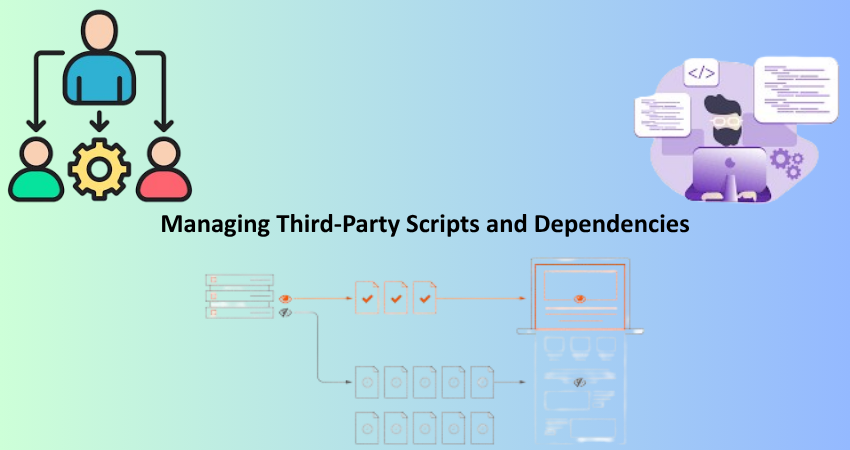
Modern websites are often criticized for JavaScript bloat due to heavy external third-party scripts. Social media widgets, presents tracking codes and other kinds of ad networks and font libraries are external scripts that can slow down your page rendering, pose a slew of security threats, and give rise to a host of rendering problems. Third-party scripts may indeed be helpful or even needed, but each adds weight to your site and is often harder to minify or control than your code. Therefore, it is paramount you assess their true impact. Third-party assets can be evaluated for their loading time and execution cost in a performance tool like Lighthouse or WebPageTest, thus informing your decision as to what to keep, throttle, and what to get rid of.
In very simple terms, first, question if the script really is a necessity. For instance, do you need five tracking pixels or three versions of the same widget? Would there be a way of achieving the same end with fewer, more efficient tools? Another option to ponder would be self-hosting the script, or perhaps using a lightweight alternative. Some CDNs even offer reduced-size versions of libraries tuned for performance. If you find the script must stay, try to asynchronously download or defer the execution of the script. By limiting the need for third-party JavaScript, it gives you the upper hand to ensure your site performs the way you need it with minimal additional delays.
Replacing Heavy Libraries with Lighter Alternatives
A very large number of websites are already pre-packaged with bulky JavaScript libraries or their frameworks, and developers tend to use them without noticing because their functionalities would have been very much underused. jQuery is one of the most common cases. Once considered necessary to attain cross-browser compatibility, modern JavaScript has made it possible to handle the majority of tasks natively. If your site is loading 80KB of jQuery to support a handful of animations or form handlers, consider refactoring that code using vanilla JavaScript. Not only will this reduce load time, but it will also eliminate a dependency and make your site more future-proof.
The same goes for UI libraries, icon fonts, and animation frameworks. Tools like Lodash or Moment.js can be used, but they usually tend to import geat code for very limited features as well. Try to figure out if those libraries can tree-shake or isolate the use of just a required function instead of the whole. You could also use alternatives like Day.js which is more favorable compared to Moment.js, or better still, consider using micro-libraries like Cash, a very lightweight jQuery alternative. This will make it easier for you to do away with those bloated dependencies but then at the same time create modular, efficient solutions that maintain that smooth user experience without sacrificing features or maintainability.
Conclusion
JavaScript compression and optimization, therefore, becomes increasingly relevant and necessary in this hyper-competitive web space. Script evaluation, on the other hand, is equally important if not more when it comes to optimizing performance; site speed calls for techniques like lazy loading or code-splitting before all else. Developers building complex applications and website owners managing content platforms should be aware of the effect of JavaScript on performance so that both user experience and search engine rankings can be optimized.
It will always be about the balance between speed and functionality. Never abandon JavaScript; rather, know when to use it. The performance of your site could also be improved through regular audits, reduced bundling, third-party script management, and targeted optimizations. Utilizing the methods contained within this article will speed up load times while making the web experience more stable, maintainable, and user-friendly.