Introduction
UX has organized itself as a central consideration in the current disposition of web development for ensuring successful digital products. Users are aware of layout shifts, popularly termed “layout jumps,” almost as one of the most disillusioning events. Layout jumps happen as the sudden and furtive relocation of page content during loading times or some interaction, disrupting the user’s reading flow, breaking some UI element in the process, and ultimately disorientating or annoying users. Layout jumps are often due to problems like asynchronous content loading (fonts, images) or a general lack of proper sizing rules inside the layout structure. To facilitate smooth and seamless web experiences, developers have to deal with issues of layout shifting as an integral aspect of performance and design consistency. This is where CSS Grid truly shines as a powerful tool for designing ease in content layout.
CSS Grid provides a robust system for authoring two-dimensional layouts in CSS, providing the developer with complete control over the creation of rows and columns, in addition to the control of spacing. When implemented correctly, CSS Grid enables the creation of dynamic layouts that respond to the rendering process without compromising under any situation. This means that even when something loads at its own pace, or when the content changes dynamically, the layout remains constant due to the hold-ups in the grid structure, preventing any sort of unpredictable layout shifts. This article explains how one can commonly exploit CSS Grid layouts in order to address layout jumps in real-world web building applications. Whether landing pages, blogs, or dynamic product listing kinds, this dominant knowledge of CSS Grid would allow for stabilization of content to yield a boost in both perceived and real performance.
Understanding Layout Jumps and Their Impact
What Causes Layout Jumps on the Web?
Layout shifts, known alternatively as content reflows or jumps, are most frequently associated with the actual insertion of content into the DOM after the first render without the presence of an adequately preallocated space. Late-loading images, fonts, advertisements, or scripts tend to push existing content downward or sideways. When a page fails to reserve enough space for the asynchronously loading elements, the browser must repaint and reposition the entire layout, causing a rather harsh visual shift. Height or width values that are inconsistent, inline styles injected after loading, or third-party scripts modifying DOM elements can trigger this kind of disruptive behavior.
Layout shifts in responsive design can be caused by incorrect units and breakpoints as well. For example, if element widths are defined using percentages without a proper grid or flexbox layout, those elements will begin to collapse and expand erratically over different devices. Also, JavaScript-based calculations for layout positions and injections of dynamic content without constraint from the developer’s side could lead to contributing even further to these jumps. Understanding the root causes will help develop a solution that embraces and prevents layout instabilities. Preventing these jumps isn’t all about eye candy; it’s also a matter of accessibility, usability, and performance measurements, most notably Cumulative Layout Shift (CLS), which is one of Google’s Core Web Vitals.
Why Layout Stability Matters for UX and SEO
Stability in layout gives users a sense of control and trust. Picture trying to click the link and have the whole page shift: resulting clicks on wrong buttons, annoyance, accidental buys, or bouncing from the site. Layout jumps disrupt reading flow and can obstruct significant user interactions. This disruption creates an immense barrier for persons using screen-readers or keyboard navigation, putting the content at risk of being unusable. In truth, designing for layout stability is not just an option; it is a requirement for our consideration as designers.
On the other hand, search engines like Google now consider layout stability through Core Web Vitals. A high Cumulative Layout Shift (CLS) score translates to lower positions in its search results, especially on mobile. This SEO consideration emphasizes the aspect of how layout jumps not only affect user experience but also affect findability and traffic. Luckily today, modern CSS techniques including CSS Grid provide a solid means to predefine layout behavior and counter these disruptive shifts. In essence, you are also unifying visual consistency and performance gain from grid camera sets during your front-end development process, which will satisfy user expectations along with search engine standards.
Introduction to CSS Grid and Its Layout Capabilities
How CSS Grid Works: A Quick Overview
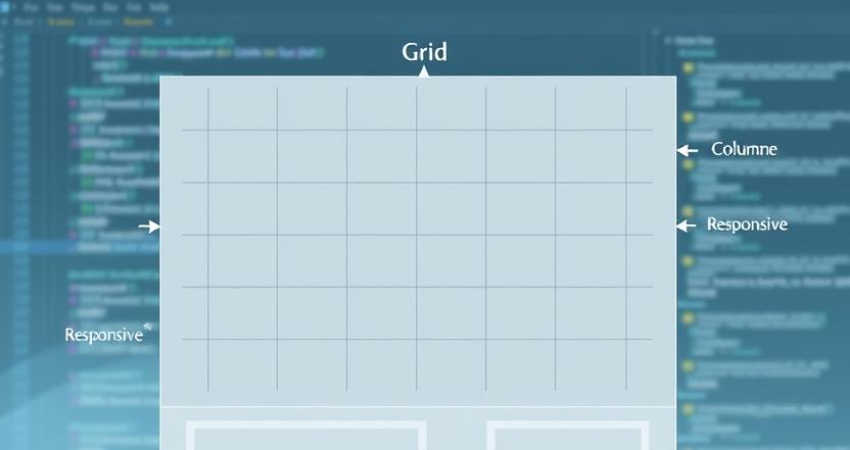
CSS Grid is basically a new feature in CSS3 for creating two dimensions grid-based layouts, as opposed to Flexbox, which applies only to one direction (row or column); this one works together with rows taken together as a full-fledged unit from columns. Actually, it gives developers a rather finely-tuned control over how the properties are structured and aligned across the page. At its core, CSS Grid is just about creating a grid container with display:grid, and defining the grid tracks (rows and columns) using properties grid-template-rows and grid-template-columns.
Apart from the declaration and assigning the cells in layout design, CSS Grid allows you to declare as many rows and columns as you want in the layout; hence, the designs are highly customizable and hence becomes predictable. An even more promising dimension of Grid is auto placement and responsive techniques such as fr units, minmax(), and auto-fit, which create flexible designs without losing hold over them. Therefore, users construct robust responsive layouts that maintain the flow of content across devices and ensure proper shape at all screen sizes. Thus, it avoids unpredictable shifts of layout.
CSS Grid’s Built-in Tools to Maintain Structure
Because it can reserve space ahead, one of the many reasons CSS griding excels at preventing layout jumps. The use of grid-template-areas, minmax() functions, and explicit-sized grid declarations allows any developer to define a constant architecture for his layouts. Hence, even when images and text slow down loading, the grid structure remains unaltered, thus preventing sudden reflows. The minmax() function is essential for layout stabilization in that it allows the setting of grid item size limitations thus accommodating any content that may come its way without the limitations or expanding predictably otherwise.
Auto-fill and Auto-fit work together to allow grid containers to respond to content of different size according to well-defined rules of layout. These capabilities provide designers with the flexibility to create strong designs-an important functionality in today’s multi-device environment. Beyond mainly creating space between items, other grid features can also enhance this consistency: grid-auto-rows and grid-gap make sure dynamic content will not disturb the smoothness of such a layout. With proper use, CSS Grid forms an ideal foundation for building accessible, stable, and performance-oriented web interfaces.
Practical Grid Techniques to Prevent Layout Jumps
Setting Fixed Track Sizes for Predictability
The most effective steps to prevent layout jumps through CSS Grid are to set absolute sizes for your rows and columns. For example, you can use px or em entirely or create a balance with fr (fraction basis) such that the layout tracks can predictably not be resized by content. The definition of grid-template-columns: 1fr 1fr 1fr is that all three columns have equal width, provided with some fixed min-height or min-width property, so that nothing changes with the varying lengths of content or different viewport sizes. Hence, an image or a long bit of text gets its own allocated space to be loaded onto and protect itself against any unexpected jump.
Most important, pre-defining track sizes can prevent layout shifts, wherein late-loading content causes elements to change position. In image-heavy layouts and e-commerce product grids, setting minimum heights for their rows or explicitly defining grid-auto-rows not only lets the placeholders or skeletons hold their position, prevents content from affecting layout shifting. With fixed track sizes and aspect-ratio-preserving image containers or placeholders, the remainder of the page is rendered uninterrupted. Consequently, the grid serves the purpose of visual scaffolding, enabling a clean and user-friendly design regardless of the content loading.
Leveraging Placeholder Elements and Aspect Ratios
Another effective technique for avoiding shifts in layout and especially for grid layouts is the use of placeholders and aspect ratio containers. Another serious issue to look out for when using CSS Grid to display media or interactive elements is leaving room before the content loads-this is more predominant in images or videos that load asynchronously. For example, developers could insert placeholder elements with fixed dimension and background colors (skeleton loaders) and use hacks such as those involving aspect-ratio or padding-top to hold that space until real content appears. Such techniques will assist the browser in maintaining layout consistency and help eliminate reflow risk.
CSS Grid becomes the ideal platform of these placeholders, especially when all grid items are designed for one and the same aspect or maximum height. The aspect-ratio property found its way into virtually all modern browsers today and justly is considered the best advancement for this purpose. Essentially, applying aspect-ratio: 16/9 to a grid item means that the container assumes its shape before filling in with the image; object-fit: cover on the image provides for layout stability and pleasing aesthetics. Such techniques will only further add to the perceived performance and user experience on pages that are rich in content.
Creating Responsive and Accessible Grid-Based Forms
Responsive Form Layouts Without Disruption
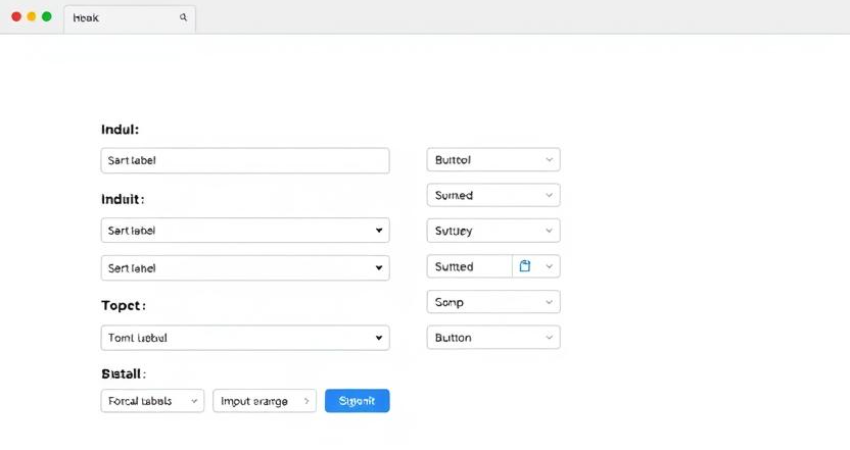
A particular strength of CSS Grid is in generating form layouts that are responsive and stable. A common complaint in form design is that input fields or labels may resize or shift positions with the introduction of different languages, font sizes, or validity messages. With CSS Grid, a developer can enforce a two-column or multi-row structure where every form element has its own specifiable space. For instance, putting labels and inputs in designated grid areas using grid-template-areas makes it more semantically structured and visually predictable.
Furthermore, by setting grid tracks with minmax(150px, 1fr) to allow input fields to stretch into the extra space and maintain a reasonable minimum width, forms can thus become more responsive in different devices while the possibility of a jump in layout when fields are filled or error messages made visible is minimized. A clear definition of gutters (gaps) and track sizes ensures that fields do not shift one another into uncomfortable places, to the benefit of user experience and form completion ratio.
Ensuring Accessibility Through Logical Grid Structures
Keyboard navigation and screen reader support are a small part of the larger picture. Accessibility is concerned with visual discernment and logical fluency so that users can comprehend and interact with content. CSS grid allows the developer to control the explicit placement and alignment of form elements so that they agree with the logical tab order and visual hierarchy. For example, the logical ordering of labels and inputs along a grid would provide an intuitive navigation experience for assistive technology users through grid-row and grid-column alignment.
CSS Grid can also be used together with ARIA attributes and valid label associations to enhance the experiences of our users depending on screen readers. Cluttered interfaces and shifting interfaces can further confuse people with cognitive impairments; consistent spacing between elements assists these users. All in all, a well-organized grid layout will not only eliminate layout jumps but also create a clear interaction flow for accessibility-inclusiveness and legal compliance.
Conclusion
CSS Grid is exceptionally adaptable. It streamlines design for all types of layouts and lays the groundwork for stability and accessibility for all kinds of modern web pages. Once developers have an accurate grasp of the layout change causes and the grid-based solutions that lessen or eliminate these changes-such as fixed track sizes, aspect-ratio placeholders, and explicit content areas-the feel of the experience reaches a polished, trustworthy level on every single device. While it does a splendid job building static layouts, grid frameworks also lend the dynamic styles an extra touch of elegance; it is for these reasons that it’s a must-have within your frontend toolbox-a true delight for performance-based, user-centric resources.
There is a huge difference between overlooking layout jumps and one that offers courtesy for the path a user takes through their content. With consideration for the evolution of web standards and the increasing expectations of users, adding a layout strategy such as CSS Grid is one step the site can take to evoke better scores on metrics such as CLS, as it creates an interface that feels stable, professional, and trustworthy. With a little thought, application of CSS Grid can morph one viewing system into the groundwork of resiliency and accessibility for all digital experiences.