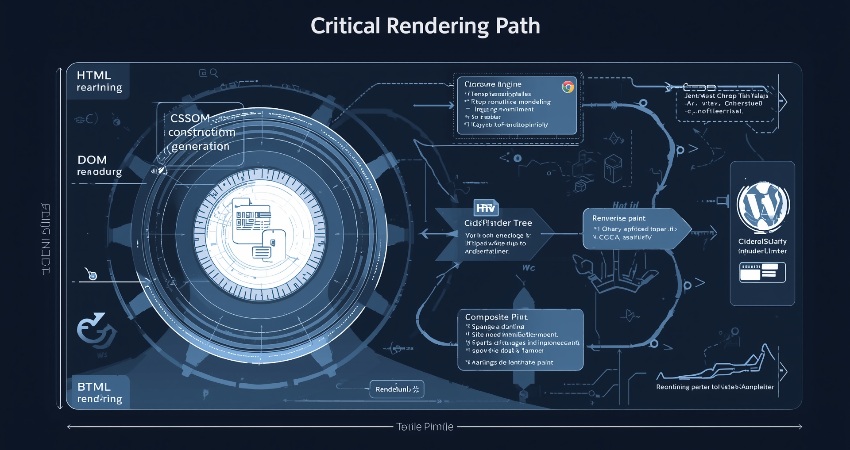
Introduction to the Critical Rendering Path
Taking into consideration everything up to October 2023, the Critical Rendering Path (CRP) represents the various steps in the algorithm of a browser to render a web page out of HTML, CSS, and JavaScript into a complete, visible page. In the process of optimization for loading performance, the CRP constitutes the bottleneck leading to slow rendering and a bad user experience; therefore, it is crucial for web developers to be well aware of it. The browser should then parse, process, and render these resources quickly enough so that content will be displayed for the end user in an instantaneous manner: the browser primarily prioritizes above-the-fold elements to improve perceived speed. A good knowledge of the CRP allows developers to take better decisions in resource loading, script insertion, and CSS optimization towards improving performance.
Based on these factors, it may end up being as simple as defining its core components and predefined parts for the CRP document-object model, CSS Object Model, executing the JavaScript programs, constructing the render tree, calculating layout (reflow), and actually painting pixels onto the screen. Each of these stages has an intradependency on each other; therefore if at any point, if it is held, it would be cascaded into the other stages- for example JavaScript execution might be on hold for additional DOM construction which is delayed because of some huge CSS files that will keep the render tree from getting constructed. Though, at present, they also have a way to solve these problems in modern browsers, such as speculative parsing and preloading because of such a delay, the onus is still on the developers to minimize render-blocking resources while writing their codes. Therefore, by seeing how browsers carry on with the CRP in work, we can include certain best practices, which will make a difference in the load time and interaction.
Constructing the Document Object Model (DOM)
How HTML Parsing Builds the DOM Tree
A browser considers an HTML document simply as another document until parsing begins on the markup and a DOM tree that represents the page’s hierarchical structure is constructed. The parsing proceeds to tokenization, wherein the HTML tag is divided into tokens by the browser, and tree construction follows, wherein tokens are converted to DOM nodes. All element, attribute, and text nodes become part of this tree, which forms the backbone of a particular webpage. However, interference with parsing is not uncommon; CSS and JavaScript, among other external resources, may intervene in this process, which requires the browser to suspend the construction of the DOM until those resources are retrieved and processed.
To file optimization benchmarks, mainly, the use of speculative parsing by browsers comes to the fore, wherein the parser forecasts and pre-fetches some external resources like scripts and stylesheets while building up the DOM. While it minimizes the idle time required for throttling, the few actually block the renderer necessary for the first page render. A case in point is a synchronous JavaScript file lacking the async or defer attributes: its presence would cause parsing to halt for the entire period from script download to execution. Conversely, very large documents with deep nesting take longer to parse as every element must be instantiated in memory and constructed into a DOM. Developer measures taken to somehow counter those scenarios would comprise the simplification of DOM size, the application of simple HTML structures, and deferring script execution on JavaScripts not pertinent to breaking the parser.
The Impact of JavaScript on DOM Construction
JavaScript significantly affects DOM building since the browser will stop parsing it whenever it finds a script tag. This action will ensure that the scripts can see the latest DOM state but creates an opportunity for delay, especially for bigger scripts that are either slow to download or hosted on a slow server. To circumvent render-blocking, modern best practices suggest using the async or defer attributes when declaring script tags. An async script will download asynchronously, allowing parsing to continue, and executes immediately. A defer script will also download asynchronously but will wait to execute until DOM construction is done-a perfect way to offer noncritical scripts.
JavaScript also comes with the ability to dynamically modify the document object model. Methods like document.write() can compel the browser to reparse and reconstruct portions of the DOM, incurring performance penalties. Version updates of the elements in rapid succession by DOM methods engaged by JavaScript, such as adding or removing elements, force the browser to perform reflows and repaints and thus greatly inhibit rendering acceleration. Therefore, to capitalize on performance: developers should batch DOM updates, utilize lightweight libraries, and employ new APIs such as requestIdleCallback to process things in the background. Understanding how the DOM works with JavaScript will help developers code their applications to stop interrupting CRP while retaining interaction.
Building the CSS Object Model (CSSOM)
How CSS Parsing and Processing Work
The CSSOM is meant to be the tree-like structure of all CSS rules that have been applied to the page, while HTML would be described by the DOM. All styles have to be parsed by a browser, from inline styles to embedded and external styles, so that a final style could be computed for every element. CSS processing, unlike HTML parsing, is render-blocking, meaning that no content will be rendered by the browser until the entire CSSOM has been built. This means that all elements are effectively styled from the very first moment, preventing a Flash of Unstyled Content (FOUC) from happening. On the contrary to this well-performing CSS files, the too heavily optimized CSS files would slow down the rendering process further and thus contribute negatively to the performance index of the CRP.
CSS parsing is a top-down approach, where the browser reads stylesheets in sequence and applies specificity rules to resolve any conflicts. The complexity of selectors can cause performance issues; deeply nested rules (like .header .nav .list-item a) take more time to compute than simpler ones (like .nav-link). The effect of network latency caused by external stylesheets becomes visible mainly when files are residing on third-party domains or such files are not being delivered using measures such as HTTP/2. Developers may influence the construction of the CSS Object Model (CSSOM) through such means as minimizing stylesheet sizes (by minification and compression), avoiding complex selectors, and removing unused CSS with tools such as PurgeCSS. Critical CSS would enhance rendering performance by allowing the above-the-fold content, inlined with HTML, to display while the browser waits for the loading of noncritical styles.
The Interaction Between CSS and JavaScript
JavaScript holds the ability to tweak and access the CSSOM. However, the performance implications get disastrous. For instance, if one calls getComputedStyle() to query some computed styles, or if one decides to modify classes with JavaScript, the browser would have to recalculate all styles and update the render tree, which could make a reflow or repaint possible. Such operations are too taxing and overhead-heavy if used liberally within loops and animations. Hence, performance-critical code should better avoid unnecessary reads and writes to style. Instead, CSS transitions and transforms should be used for animation purposes rather than JavaScript.
Other very important cases include CSS blocking of JavaScript execution. This means that when the browser encounters a script tag while it is still processing CSS, it is forced to wait for the entire CSSOM to be constructed before it executes that script. The rationale is that JavaScript must have access to correct style details, but this can become an impediment to rendering if the CSS files are large or slow to load. One way to mitigate the problem is to place scripts after CSS in the HTML document or use a defer attribute. Today, when it comes to modern techniques, an important one is the use of CSS containment (via the contain property), which allows developers to limit style recalculation only for specific subtrees of the DOM, thus shutting down reflows and making rendering more efficient.
Creating the Render Tree and Layout
How the Render Tree Combines DOM and CSSOM
Assuming both the DOM and CSSOM are well-formulated, the renderer combines the two to produce a render tree, which represents all visual elements on the page along with their computed styles. The render tree is presented specifically to elements useful in presentation. This render tree is very crucial for determining layout and painting during the render stage. During the construction of the render tree, the browser traverses the DOM and CSSOM, examining every known element and attempting to match that element with corresponding styles. In practice, this means that a style computation must be efficient, as elaborate CSS selectors and too many levels of inheritance would slow down render-tree generation.
One optimization technique is using CSS properties that promote their elements to their own compositor layers -will-change, transform, or opacity, for example- and that can be rendered independently from that. As a consequence, the workload during reflow and repaint is reduced. Overuse of such properties will lead to the consumption of high memory, so exercise caution in using them. Incremental rendering is where most modern browsers use the render tree to process only as it becomes available, thus allowing part of the page to start rendering and be seen while the rest is still being processed. Developers can take advantage of this by writing HTML and CSS in such a way that above-the-fold content is prioritized. By doing this, any meaningful content is shown to the user as soon as possible.
Layout (Reflow) and Its Performance Impact
Once the render tree has been created, the browser layout (or reflow): the actual position and dimensions for each of its elements. It is this truly crucial step deciding where and how each element will be displayed on the screen and how much space it will share with other elements. Layout is analytically taxing, especially for complex pages containing dynamic content, which can trigger global reflows of an entire element tree if the position of a single element is changed. Resize the viewport, change an element’s dimensions, add or remove nodes from the DOM, and most importantly, change fonts and styles to trigger a reflow.
In order to enhance layout performance, developers should work towards minimizing reflows by grouping DOM updates and avoiding to change styles within JavaScript loops. Instead of animating layout properties which induce reflows (like width, height, and margin), CSS transforms should be considered first. CSS Flexbox and Grid are quite efficient layout systems, although improper application could constrain performance; for example, avoid having deeply nested flex containers. To track costly reflows, a good tool to use would be Chrome DevTools’ Performance panel since it allows developers to refactor trouble-causing code. One more option in reducing the number of elements in the render tree, hence improving layout performance, would be employing virtual scrolling for long lists.
Painting and Compositing
The Painting Process and Pixel Rendering
Once the layout has been made, the browser turns the render tree into actual pixels on the screen in the painting phase. Painting is the process of taking one element at a time and filling in their pixels based on the styles applied to them, such as colors, borders, and shadows. These processes are layer-based; within each layer lies a portion of the page that can be painted module-wise. For more advanced pages with visual effects, like gradients and box-shadows, more painting work has to be done and this can impact performance especially for low-end devices.
Dynamic changes should reduce the repaints even in dynamic changes as painting is optimized. For example, animating opacity or transform properties is a molding in the same manner as animating top or left, but the GPU does these without bringing about repaint. CSS will-change hints to the browser on which will probably change, allowing the pre-optimization of some paint. The painting process can also be sped up through minimizing overdraw (by meaning avoiding a pixel resurfacing from multiple paints due to overlapping elements), by avoiding the unnecessary background colors or opaque layers. Chrome DevTools’ Paint Flashing helps locate the areas to paint by making them flash now and then, and this makes it possible to tell areas where such optimizations could be made.
Compositing and GPU Acceleration
The process of compositing is the last activity of CRP where painting layers are merged into one imaginary painting for display by the browser itself. Modern browsers leverage GPU acceleration for compositing, which is highly efficient with CSS properties like transform or opacity because these properties elevate the items to own compositor layers, leaving the GPU free to render it itself and thus lowering CPU usage and delivering smooth animation and scrolling.
Yet, when layers are created unnecessarily (like excessive will-changes), it leads to memory hogging and slow compositing. Developers must find a good intermediate ground between GPU usage and available resources while performance testing across devices. Features like layer squashing (whereby the browser merges visually similar layers) can be beneficial, but some manual intervention will apply: some UIs can get really complex. Developers equipped with compositing knowledge can therefore utilize GPU rendering efficiently while avoiding pitfalls that degrade performance.
Optimizing the Critical Rendering Path
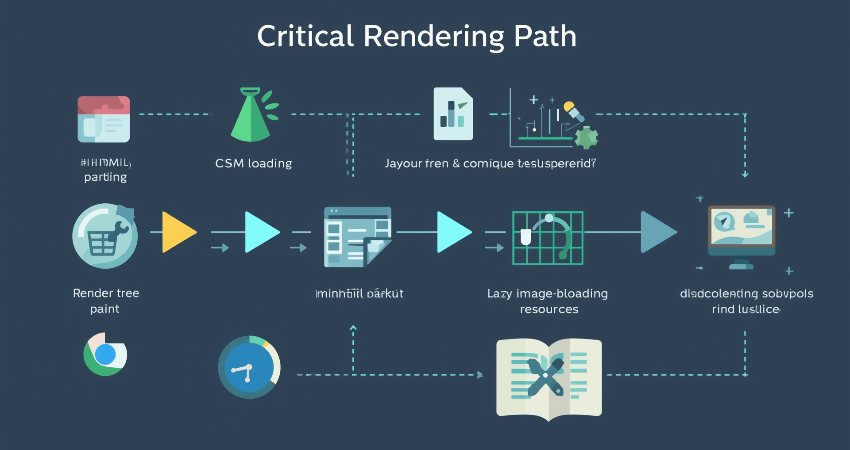
Key Strategies for Faster Rendering
Optimizing the Critical Rendering Path (CRP) means minimizing any resources that will block rendering, reducing useless work, and paying extra attention to anything that is visible to the user. The main techniques include:
- Minification and compression of HTML, CSS, and JavaScript to maximize reductions in file size and parsing time.
- In the case of CSS that is critical for rendering above-the-fold content, it could be inlined.
- JavaScript should be deferred if not needed right away (utilizing async and defer).
- Images and other offscreen content should be lazily loaded to defer loading of unimportant resources.
- For optimizing time for computing styles, the use of efficient CSS selectors is a must.
Lighthouse and WebPageTest will help you in auditing the CRP performance and assist in possible improvements.
Measuring and Monitoring CRP Performance
Ongoing monitoring will always ensure performance. Some tips for the developers:
- Make an analysis of the rendering bottlenecks using the Performance panel of the Chrome DevTools.
- Track First Contentful Paint (FCP) and Largest Contentful Paint (LCP) as important metrics.
- Use Real User Monitoring (RUM), to measure performance across devices and networks.
Developers working together on Customer Response Point, if there is such a case of collaboration, will stress the iterative approach to meeting customer needs with the highest possible speed and quality.
Conclusion
The Critical Rendering Path is one foundation stone in web performance optimization. Figuring out how browsers build up the DOM, the CSSOM, the rendering tree, and finally the produced output will help eliminate bottlenecks and enable the creation of blazingly fast web pages. For example, a few specific ways to optimize the CRP include prioritizing above-the-fold contents, reducing render-blocking resources, and leveraging GPU for rendering.
As web applications increasingly complexify, understanding the Critical Rendering Path becomes even more vital. Modern frameworks and tools are certainly intended to help make some things easier, but an understanding of how the browser rendering works will facilitate long-term performance advantages. Applying this principle, therefore, will help the developers build sites that load quickly, engage end users, and beat their competitors in increasing speed.