Introduction
For today’s fast-paced digital atmosphere, users expect websites to load quickly and perform efficiently. Long loading times can frustrate any user and repel them, regardless of whether they are using a desktop or handheld device. Code splitting can be quoted as one of the most powerful solutions to server performance. Even though this terminology can be difficult to comprehend, it is of high relevance within this web development world and can practically boost any website’s load time and user experience. To a newbie entering the world of performance optimization, understanding code splitting will not really be a bonus; it will be a must.
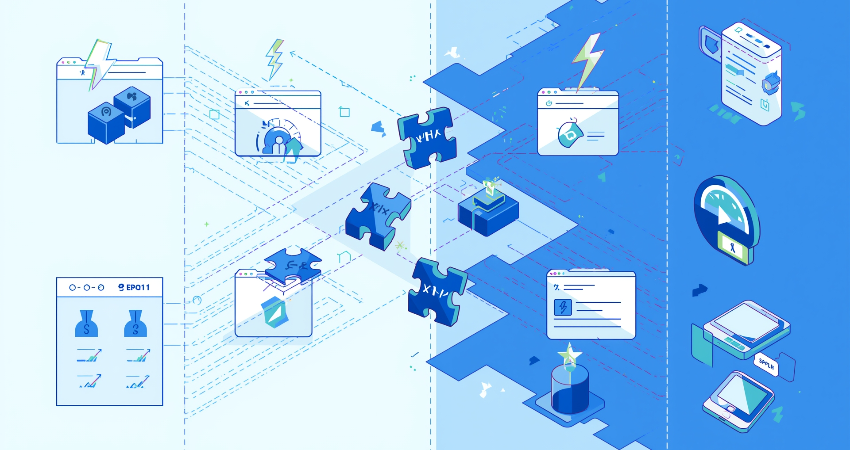
The method of code splitting means simply chopping that gigantic big bundle of javascript (or any other kind of code) into smaller, more manageable chunks that can be only loaded whenever needed. The practice of code-splitting means rather than sending all code components at once to the user’s browser, the site sends those only to cope with the initial screen or user interaction. The rest of the code is fetched dynamically while the user navigates through the application. If done correctly, this results in faster loads, reduced usage of bandwidths, and a more smooth experience for users across devices. In this article, we are going to discuss what code splitting is about, its advantages, how it works, and how to implement them when you are just starting your web performance optimization journey.
What Is Code Splitting and Why It Matters
The Concept Behind Code Splitting
A contemporary web-building methodology known as code-splitting is used to dismantle the majority application’s codebase and create smaller chunks or bundles for size management. When a user goes to the URL of the website or web app, instead of pulling all pieces of the code at once, the browser pulls down enough code to render the current view or functionality. This considerably reduces the time to interact with a stage in applications that are very heavy-featured or include large libraries. Code splitting is commonly implemented by developers using build tools like Webpack, Vite, or Rollup, which support dynamic imports and configurations allowing chunking.
Defaulting to having all web applications packed into one large JavaScript file containing every necessary code for each site’s feature means that not every user would use every feature during a single session. By no needs of the administrative dashboard, a blog visitor might content himself simply by flushing the homepage. Code splitting allows developers to keep the code for administrative activities in a separate file that loads only after the user accesses that area. This conditional loading mechanism promotes fast loading times and therefore less overhead on the user’s device allowing the application to feel lighter and more responsive.
Importance of Code Splitting for Beginners
If you’re someone among most beginners in web performance and front end development then you might think code splitting is a tough topic at first, but this increasingly becomes a must-have skill you’ll have to master. As websites become more complex, they tend to bundle more and more assets–JavaScript, CSS, and media files–into the bundle. Ownership of these by-product assets can cause sluggishness in operation, particularly in slower Internet connections or older devices. Code splitting helps to prevent that from happening by downloading and executing only the necessary code for the actions that the user has initiated, thereby improving performance metrics such as First Contentful Paint (FCP) and Time to Interactive (TTI).
Anyway, many of the modern frontend frameworks such as React, Vue, and Angular have built-in support or plugins for code splitting, which saves the further beginner developments at the scratch. Developers could conveniently define their application’s split points by dynamic import() syntax. As users move through the application, the rest of the code is pulled in just as it is needed. The notion inculcated at this stage helps developers to develop scalable and high performing applications, dancing deftly around brute-force optimization in the latter steps. The idea of code-splitting gives the difference between making the rookie web applications work and making them efficient from day one.
Benefits of Code Splitting for Web Performance

Faster Initial Load Times
The most prevalent and immediate benefits of code splitting would be the reduced loading times on the initial load. During the first visit of the user in a website, the browser has to download and parse all JavaScript files before the user can do anything meaningful with it. If the entire application were to be bundled into a single massive file, load time rises steeply on mobile networks or devices with slower processors. Code splitting allows developers to send only the code that is strictly required for the first screen—the so-called “critical path“—thereby reducing the time before getting the site usable to the user.
This enhancement can become essential in SPAs, as the entire frontend is usually built with JavaScript. In the absence of code-splitting, a user would forfeit downloads of code that might only be for routes and components never required by the user. By allowing the code that’s not needed for critical pages to be downloaded at a later stage, the developers can ensure that the users can pull some content quickly and interact with the site much faster. Such performance improvements directly translate to better PageSpeed Insight scores, enhanced Core Web Vitals, and a better chance of actually holding on to the user instead of letting them leave.
Reduced Bandwidth Usage and Improved Mobile Performance
On the other hand, mobile users mainly grapple with plans that limit how much data they can access, or offer connection speeds that are always fluctuating. A bloated site that slams and pushes all its resources upfront would really be able to consume heavy bandwidth and delay connectivity in regions where the internet infrastructure is not really good. This is fundamentally the case for code-splitting. It ensures that the only downloading that takes place is what the user can access based on his/her interaction with the application. If a user never visits the “Contact” page, then it should not be necessary for him or her to download the different scripts and styles associated with it.
This focused delivery of delivery assets translates to less data consumption for the users and faster loading in mobile networks. Code splitting also puts less pressure on the browser’s JavaScript engine, which is especially important for older budget mobile phones which don’t have that much power processing. Most modern devices can’t cope with the parsing and execution of large bundles of JavaScript, which freezes or causes the application to crash because of poor interactivity. By smartly designing the split code and non-deferring scripts that are not important, developers can ensure that their applications are lightweight, efficient, and friendly on all platforms and conditions of the user.
How Code Splitting Works in Practice
Static vs Dynamic Splitting
The most frequently used code splitting techniques are static code and dynamic code again. At the beginning, coding splitting is static, and it is used during the Webpack packing stage, or with another similar bundling solution. And it’s simply defining the entry points and making certain configuration rules for creating various bundles. For example, the main application code would be within one bundle, the admin dashboard in another, and all utility functions or third-party libraries in yet another. This means that this allows a developer to split logically according to use cases, routes, or modules, making chunk creation predictable.
Dynamic code splitting occurs at runtime as opposed to static code splitting, which is done at build time. Dynamic code splitting is the outcome when certain actions initiated by the users invoke some activity from the system, usually achieved with the help of the import() syntax in JavaScript. The import() method is a request to the browser to load that chunk of code when it is actually required. For instance, when a user clicks an element tab labeled “Profile,” the application imports the corresponding module dynamically, thus improving responsiveness and reducing the initial payload. Dynamic splitting provides for more flexibility and optimization opportunity at runtime; static splitting, on the other hand, offers more control during build time.
Tools and Frameworks That Support Code Splitting
Most modern JavaScript packaging and frameworks provide code-splitting support out of the box. Webpack, for instance, has had support for dynamic import() and multiple entry points for quite a while now. On the other hand, Vite, a new bundler that is getting quite famous, does it the right way, performing automatic intelligent code splitting and lazy loading of modules with the help of its building module graph. Rollup, often used for libraries, supports splitting output into chunks for bundle size restriction. So, in all these cases, the choice is really put in the hands of the developer as to how and when they want their code to be split to get the best performance.
React-like frameworks support code splitting through constructs like React.lazy() and Suspense, which let developers render components on demand without causing the rest of the UI to hang. Similar features are available in Vue.js, which uses defineAsyncComponent() for dynamic component loading, and Angular provides lazy-loaded modules with route-based configuration. These radical simplifications may lead to code splitting for an average developer too. With basic knowledge about routing and module systems, any developer can implement code-splitting techniques into most modern frameworks with little trouble.
Common Mistakes to Avoid in Code Splitting
Over-Splitting and Performance Overhead
Code splitting brings a lot of benefits but too much of it can give a wrong result. For instance, you could have one too many small bundles or dynamically import each and every component, and that can crank up requests when all the requests combine and suffocate your application. Each one of those requests introduces a delay, especially when they’re not managed well with either cache or pre-load strategies. Rather than enhancing performance, bundle fragmentation can grossly punish it since it now makes the browser wait to load and parse a set of thousands of small files instead of simply downloading one small file. The consequence? A very sluggish and nonresponsive experience.
Another result of the over-splitting is it will increase the maintenance burden on developers. It will be tedious to debug and trace issues spread thinly across such small chunks, especially when there isn’t a well-documented structure of the application. The aim should be achieving a ratio between critical and non-critical codes. Codes should be split sensibly, by page, route, or big feature, not by random allocation. The use of tools like Webpack’s SplitChunksPlugin or Vite’s dynamic imports helps to achieve this efficiently without overwhelming the build or runtime environment.
Ignoring Caching and Preloading Strategies
It is necessary to combine code splitting with intelligent caching and preloading strategies for its best performance. Without these, the split bundles would be unnecessarily re-downloaded, defeating the intended performance improvements. Generally, developers forget to put appropriate caching headers, which makes browsers treat those split chunks files as new ones on each visit. This causes redundant downloads, increased load times, and wastage of bandwidth. Proper cache-busting with HTTP caching ensures that users only download newly created content when necessary.
Preloading strategies also work well with perceived performance improvement. For instance, if a user has accessed the dashboard after logging in, it is safe to assume that he or she will visit the dashboard again soon. Preload that dashboard code in the background, using <link rel=”preload”> or programmatic hints within the app. This, in effect, would reduce latencies in navigation and create a seamless experience. Tool sets such as Webpack Prefetch/Preload directives, React’s Suspense, or Vite’s native preload support help seamlessly implement this practice. Beginners should not consider code splitting as a “set and forget” optimization; it requires thoughtful planning to maximize it.
Best Practices and Implementation Tips

Start With Route-Based Splitting
For novice developers in code splitting, route-based splitting is the best and simplest method to start with. Different routes, most of the time in web applications, represent independent functionalities. A homepage, for instance, a product listing page, a checkout page, or user profile can be bundles for each of them separately. Lazy loaders are easily implemented for modules or components associated with routes in frameworks like React Router, Vue Router, and Angular Router that are made for splitting code with minimal changes on your architecture.
This would mean an immediate benefit in performance because it downloads only that code necessary for that particular route. It makes a lot of sense with real user behavior: they generally don’t visit each page during a session, so there’s no need to load it upfront. Route-based splitting allows really only loading the most relevant UI and logic, pulling in the others if, and when, necessary. This way, the main bundle has the smallest size and allows time to First Byte (TTFB) and Time to Interactive (TTI), important metrics cited by most modern web performance audit tools like Lighthouse or WebPageTest, to be drastically reduced.
Monitor, Test, and Optimize Regularly
The work after code splitting never ends, as continuous monitoring and testing of the application’s performance are very important to ensure that code splitting is achieving its needs. Google Lighthouse, Chrome DevTools, and WebPageTest are examples of tools that allow the analysis of bundle sizes, the number of requests, and resources loading patterns. From studying such metrics, you can see if any chunk is still too large, or where further splitting points would be helpful.
Regular optimization also includes audits of third-party libraries. Some external dependencies included in your app can at times greatly inflate the bundle sizes. Here’s a good lightweight alternative, or load them only if they really need be. Also, apply tree shaking to get rid of unused code and apply gzip or Brotli compression to all assets. Incorporating performance reviews into your development cycle helps ensure that your codebase remains lightweight, faster, and optimized for new and returning users.
Conclusion
Code splitting is a gigantic technique that transforms the way the application works in the real-world scenario. Loading a big codebase in smaller chunks whenever required means lesser loading time, a great user experience, and wider accessibility of the applications themselves, especially on mobile or with slower networks. Hence, getting to grip with code splitting is a must for any beginner on their way to developing fast, responsive, and scalable applications.
At first sight, it might appear a bit tricky, however, thanks to the frameworks and tools available in this modern age, code-splitting has been made much easier than ever before. There are innumerable opportunities to make an impact on the performance such as route-based splitting, dynamic imports, and intelligent preloading. But yes, moderation is important; too much splitting or no caching strategy may soon offset the gains of splitting. In other words, with good monitoring, code-splitting will repay the cost with user experience improvements shortly, rather than just technical ones.